
Planning a company Christmas party: a step-by-step guide

Marc Blindenbacher
27.10.2026
•
8
min


Form templates allow you to define standardised registration forms once and reuse them across as many events as you need. This saves time, ensures consistent field names, and makes it significantly easier to analyse and export your data later on.
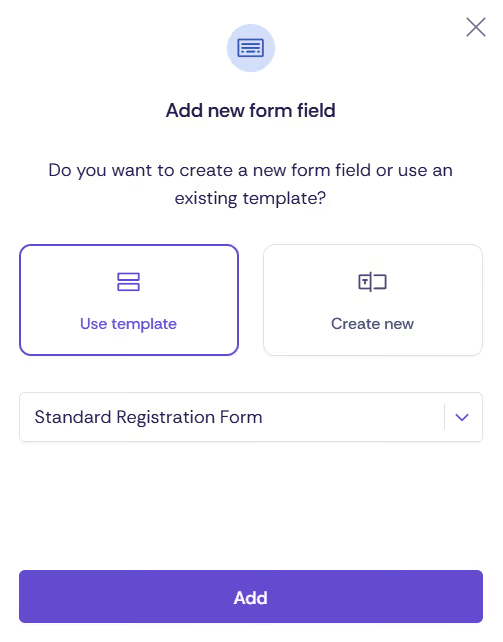
A form template is a pre-configured registration form saved at workspace level that can be applied directly when setting up new events. Instead of recreating the same fields for every event, you simply select the relevant template and customise it as needed.
💡 When are form templates particularly valuable?
If you regularly organise similar events (e.g. customer events, internal training sessions, annual conferences) and always need the same guest information, the one-off effort of creating a template is well worth it. Consistent field names (identifiers) make subsequent analysis and CRM exports significantly easier.
Form templates are managed at workspace level. You need Workspace Admin permissions or a higher role to manage them.
Start by giving the template a clear, descriptive name so you can identify it quickly during event setup (e.g. "Standard Customer Event" or "Internal Training"). Then add the fields you need. The structure follows the standard registration form.
You can also create form templates for specific sections – for example "Billing address", "Contact form", "Dietary requirements", or "CRM data". These can then be combined within a single event registration form (e.g. "Contact form" first, followed by "Billing address"). You can also specify where a template may be used: as a registration form, as a form for accompanying persons, or as an additional query.
💡 Tip: Use selection fields instead of free text
Wherever possible, use selection fields rather than free-text inputs. This ensures all responses are captured consistently and can be filtered and analysed without any manual clean-up.
⚠️ Choose field identifiers carefully
The identifier for each field determines how data is recognised during exports and CRM matching. Use consistent, meaningful identifiers (e.g. menu_choice rather than field_1). Once an identifier has been set and used in events, it should not be changed.
When setting up or editing an event, you can load an existing form template as follows:
ℹ️ Templates and events are independent once a template has been loaded
Any changes made to a form template after it has been loaded into an event will not be applied retroactively to that event. Each event manages its own registration form independently.
You can edit existing templates at any time via Settings → Workspace → Form templates. Open the template and adjust fields, their order, or required field settings as needed. Deleting a form template has no effect on events that have already loaded it – their forms remain unchanged. The template will simply no longer be available for selection in future events.
Discover exciting articles about creating unforgettable events.