.svg)


.svg)




When should you start planning?
The earlier, the better. Fridays in December are the most popular dates for company Christmas parties, and these are exactly the evenings that restaurants and event venues book up first. If you only reserve in November, you will often have to settle for a Thursday or move to January.
Our analysis of the most popular days for business events shows how events are spread across the week and the year.
Which format suits your team?
The format depends mainly on team size, budget and company culture. These four options cover most situations:
If you have several locations, you need to decide whether everyone travels to one place or each location celebrates on its own at the same time. A central party brings people together but costs travel time and money. Local parties are simpler, but they need joint planning so that no location is left out.
How much budget do you need?
Plan the budget by cost category and convert it into a cost per person. This shows you quickly where you can save.
You will find more ideas on how to cut costs without your guests noticing in our 7 event budget hacks.
Tax: what applies in Germany and Switzerland
Germany: For company events such as the Christmas party, a tax-free allowance of 110 euros per participant and event applies, including VAT. Up to two company events per year qualify. If someone brings a companion, the companion’s costs are attributed to the invited employee. The companion has no allowance of their own. Gifts handed out at the party also count towards the costs. If the costs exceed 110 euros, the excess is subject to wage tax and input VAT can no longer be deducted on any of the expenses. Details are explained by the IHK Karlsruhe and the Bund der Steuerzahler (both in German).
Switzerland: There is no fixed limit as there is in Germany. Customary staff events are generally not treated as part of salary. Your accountant, tax adviser or legal department can tell you where the line lies in your specific case.
This section is an overview and does not replace tax advice.
How many guests can you expect?
For Christmas events organised via Oniva, an average of 70% of those invited register. How many of them actually turn up is harder to say, as attendance is often not recorded on site at Christmas parties. For internal events in general, the no-show rate is around 15%, according to our event marketing benchmarks.
Worked example for 120 employees
In practice, many companies order for all 84 registrations. With 13 empty place settings, that is a cost you can avoid with better figures. Find out how to reduce last-minute cancellations in our article on reducing the no-show rate.
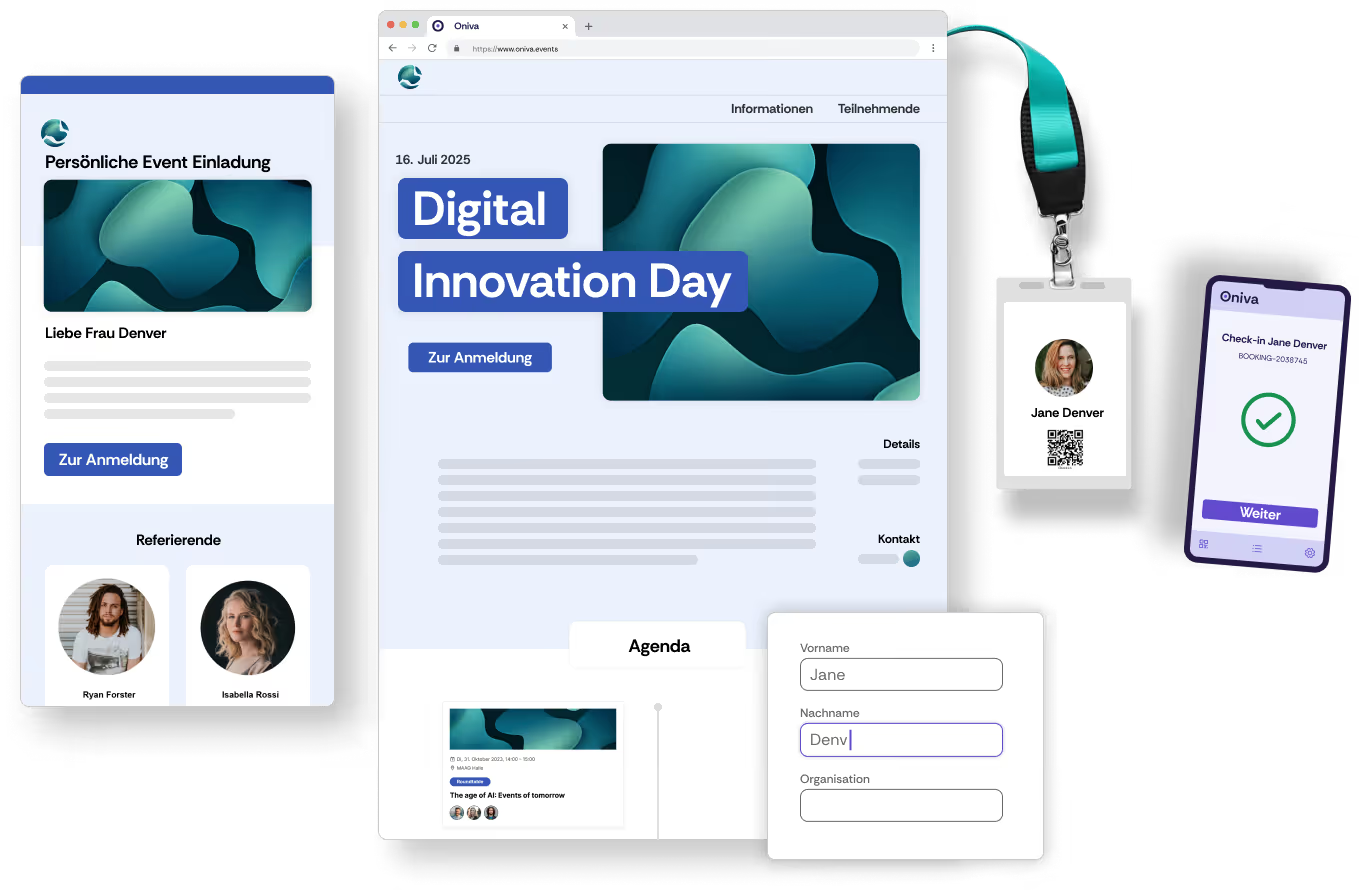
Invitation and registration
What belongs in a Christmas party invitation:
- Date, start time and expected end
- Venue with address and travel information
- Programme in two or three sentences
- Whether partners or other guests are welcome
- Registration deadline and registration link
- Contact person for questions
Here are two short examples of a Christmas party invitation:
Formal invitation
Casual invitation
You will find more invitation templates for every occasion in our article Company party invitations: templates and wording.
What belongs on the registration form
Use the form to ask for everything you would otherwise have to chase up individually:
- Attendance: accept or decline. A decline option increases the response rate, and you know who you no longer need to plan for.
- Menu choice: for example meat or vegetarian, and vegan depending on the venue.
- Intolerances: as an optional free-text field. This is health information, so only ask for what the kitchen really needs and delete the details after the event. In Oniva, you can do this for each event with one click, without losing the rest of the event information.
- Travel: for example public transport, car or shuttle. This question is particularly useful if the company organises a safe journey home, for example with a shuttle or taxi vouchers.
- Companion: if planned, with name and menu choice.
Our article on event registration explains how to design the registration form so that as many people as possible complete it.
Access control: useful, but handle with care
At conferences, check-in is a given. At Christmas parties, many companies do without it, and for a good reason: nobody wants to embarrass colleagues who couldn’t make it at short notice. The price is missing figures. Without check-in, you won’t know next year how many place settings you really need.
Here is how to get the figures without it feeling like a control:
- Explain the purpose openly: State in the invitation that attendance is recorded to plan next year’s catering.
- Record discreetly: The welcome desk or cloakroom handles check-in, for example via QR code on a smartphone. No printed name lists that show everyone who is missing.
- Make cancelling easy: Include a cancellation link in the final reminder. Anyone who can’t attend can cancel without having to call anyone.
- Only analyse totals: After the event, what matters is the number of guests, not who was absent. No follow-up with individuals.
Read more about smooth admission in our article on event check-in.
On the evening
- One person is responsible for the running order and is the contact for the venue and caterer.
- Keep speeches short. A look back and a thank-you are enough.
- The kitchen has the menu choices as a list, ideally with table numbers.
- The journey home is sorted before the first guest leaves: shuttle times, taxi number or vouchers ready.
After the party
- Say thank you: A short message on the next working day, ideally with two or three photos. Only share photos of people who have agreed to it.
- Ask for feedback: Three questions are enough, for example on the date, format and food. You can send a survey link to all guests via event communication.
- Record the figures: Invitations, registrations, guests who attended, cost per person. With these figures, you can plan next year in half the time.
- Delete data: Menu choices, intolerances and travel details are no longer needed after the event.
Christmas party checklist
- Set the date, ideally a Friday in December
- Get the budget approved, calculate the cost per person
- Book the venue
- Send a save the date
- Create the registration form with menu choice, intolerances and travel
- Send the invitation by early November at the latest
- Send a reminder to everyone who hasn’t replied
- Send final numbers and menu choices to the venue
- Organise the journey home
- Send a reminder with programme, travel information and cancellation link
- Prepare check-in, discreetly and without name lists
- On the evening: running order, speeches, journey home
- Say thank you, ask for feedback
- Record the figures, delete personal data
We hope this article helps you with this year’s Christmas party, and we wish you a merry Christmas in advance.