

Event Websites

Event websites in your organisation’s look and feel

Create professional event websites in no time that reflect your corporate design – responsive, multilingual, and optimised for an inspiring event experience.

Get started
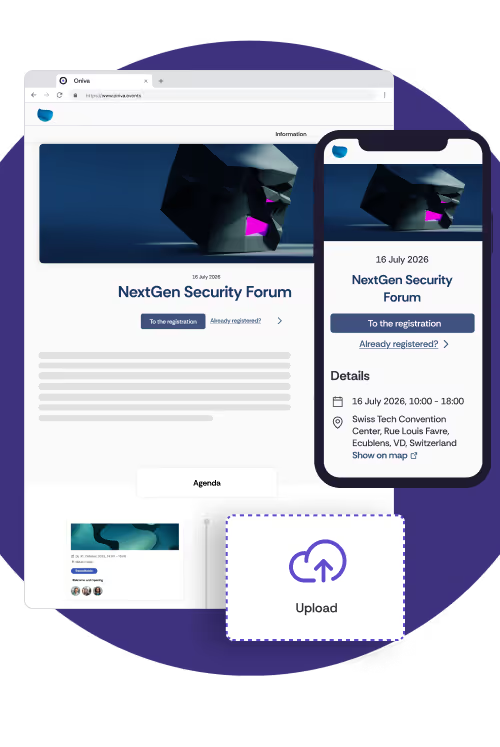
Illustration of an event website on a mobile device and desktop. In addition to the mobile view, the desktop shows a drag-and-drop element that illustrates the flexible expandability of the website.

Present your event in the best light

Event-Websites

Your event website ready in minutes

With Oniva, you can create engaging event websites that perfectly match your organisation – including colours, logos, fonts, and more. Thanks to our battle-tested event templates with live preview, you’ll be set up in no time.
  • Choose colours, fonts & logos that reflect your corporate design
  • Add your own content such as text, images, agenda or speakers
  • All pages are automatically responsive and optimised for every screen and mobile device
  • No coding skills required
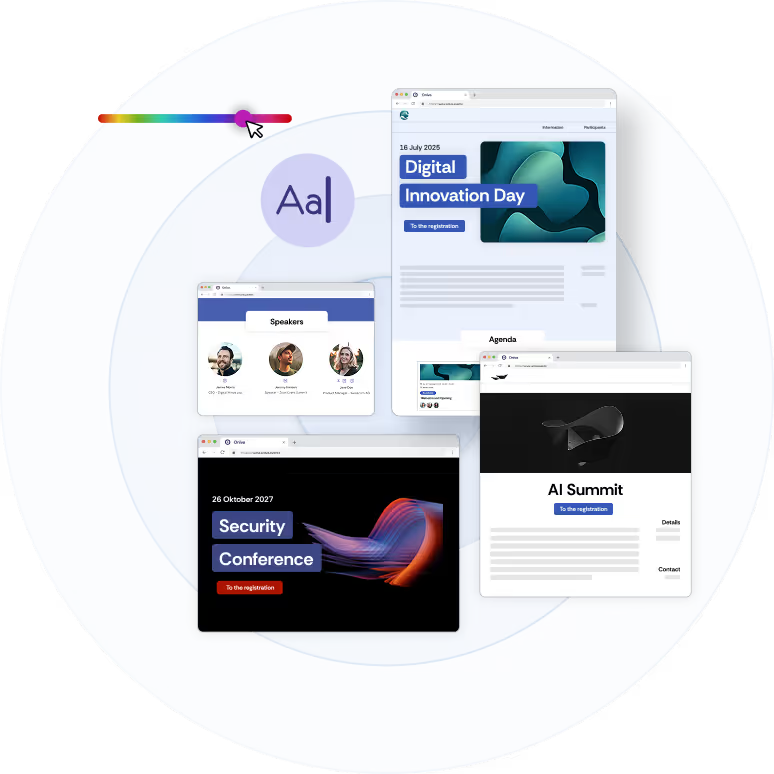
A screenshot showing three different branding configurations.
Interactive & informative

The central hub for your entire event

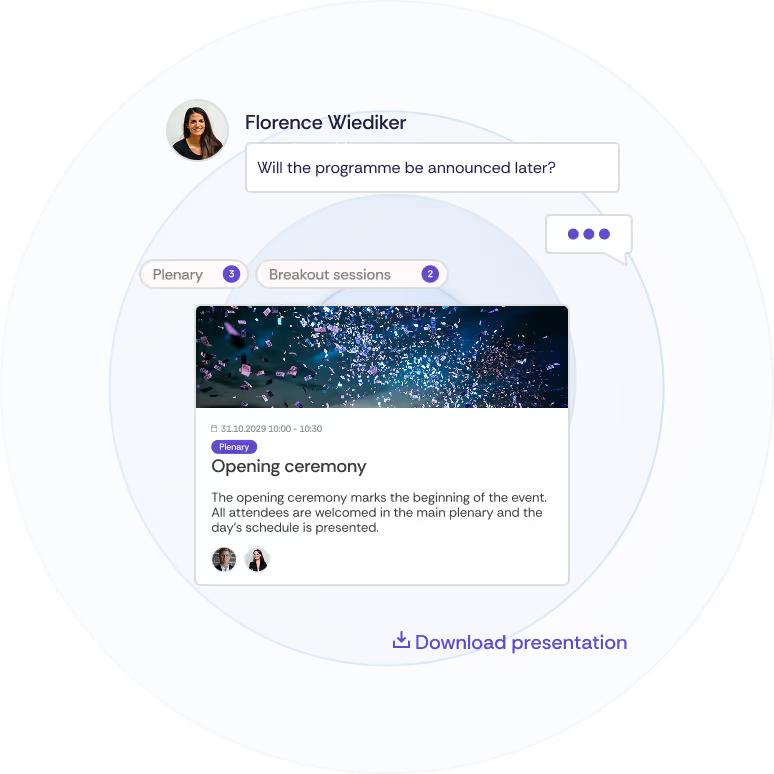
Offer your guests a central website with all the important information: agenda, location, speakers, documents and more. Best of all: with interactive features like comments or visible guest lists, you’ll create real connection even before the event begins.
  • Keep your attendees up to date with the latest event information
  • Optional comment function for interactive discussions
  • Upload essential documents for download
  • Display the guest list to encourage networking
Illustration of various sections of the event website showing the download of presentations, the comment function for guests and the agenda with filter options.
Top performance

High performance – even with thousands of visits

Whether it’s internal registration or a public rush: your event website remains stable, fast and secure – even with thousands of simultaneous users. Oniva relies on state-of-the-art cloud infrastructure, automatic scaling and the highest security standards.
  • Optimised for high traffic and peak loads
  • Fast loading times via globally distributed servers
  • Modern security technologies like web application firewalls
  • Protection against DDoS attacks & automatic monitoring
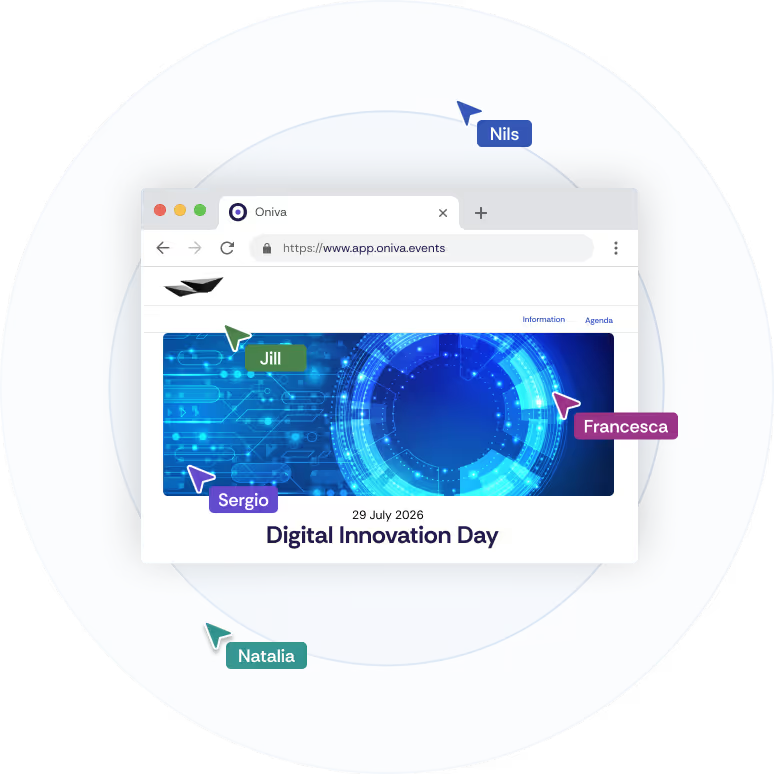
Illustration of an event website showing simultaneous access by multiple users.
Multilingual & automated

International audiences? No problem.

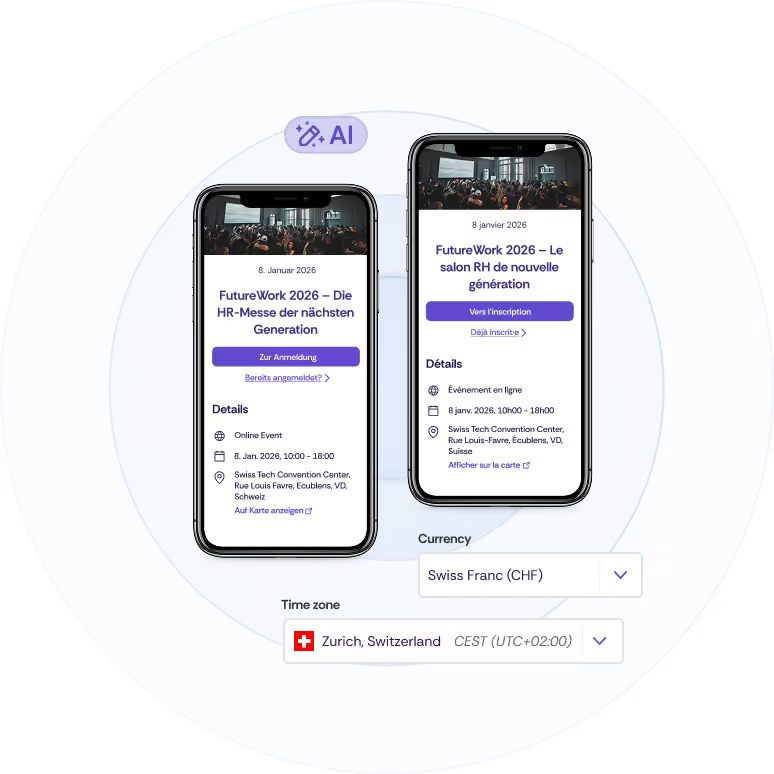
Create event websites in multiple languages automatically. With AI-powered translation, you save time and ensure your content is professionally localised. Individual time zone settings and regional language formats make sure your event is displayed correctly worldwide – including language, date and time.
  • AI-powered translation of event content
  • Automatic language detection with personalised event link per guest
  • Supports German, French, English & Italian
    More Coming Soon
  • Accurate display thanks to international time zones & localisation
An event website displayed on two smartphones in German and French.

Trusted by leading organisations

Google Rating 4.9/5
Logo der SBB AG
Logo of Mepha AGLogo of Swisscom AG Logo of digitalswitzerlandLogo of Axpo AG Logo of the Swiss Confederationti&m logoSwissport logoLogo of Medics Labor AGLogo of the Canton of ZurichLogo of the Canton of Basel LandschaftLogo of Tertianum AGLogo der SBB AG
Logo of Mepha AGLogo of Swisscom AG Logo of digitalswitzerlandLogo of Axpo AG Logo of the Swiss Confederationti&m logoSwissport logoLogo of Medics Labor AGLogo of the Canton of ZurichLogo of the Canton of Basel LandschaftLogo of Tertianum AG
Logo of Siemens AGLogo of the Sparhafen BankLogo of the Swiss Radio and Television (SRF)Logo of the Canton of BernLogo of Avadis AGLogo of Andfrank AGLogo of Hollister Incorporated Logo of the ETH ZurichPKZ logoLogo of the Locarno Film FestivalLogo of Galenica Logo of the canton of VaudLogo of Siemens AGLogo of the Sparhafen BankLogo of the Swiss Radio and Television (SRF)Logo of the Canton of BernLogo of Avadis AGLogo of Andfrank AGLogo of Hollister Incorporated Logo of the ETH ZurichPKZ logoLogo of the Locarno Film FestivalLogo of Galenica

Perfectly integrated into your
event ecosystem

The event website is the first touchpoint – and seamlessly connected to all other Oniva features. This way, you manage the entire event journey centrally with a single event tool.

Integration icon

Event Communication

Send personalised invitations directly to the event website
Integration icon

Event Registration

Integrate flexible registration logic – with or without payment
Integration icon

Guest Management

Manage all guests efficiently and centrally in one place
Integration icon

Event Check-in

Reduce waiting times on site and avoid stress at the event entrance
Integration icon

Event Reporting

Track open rates, registrations, and no-shows in real time
Integration icon

Online Events

Integrate links to online and virtual events for a seamless user experience

Impress your guests before the event - with your own event website

Find out what an event website looks like for your organisation. Try Oniva free for 10 days or book a personalised demo- with no obligations.

Get started

Frequently asked questions

Everything you need to know about Oniva's event websites.

What is an event website?

An event website is a website created specifically for an event, bringing together all relevant information in one central place—such as the agenda, location, speakers, travel information, registration, and contact details. It serves as the main point of reference for attendees before, during, and after the event.

Why is having a dedicated event website important?

A dedicated event website ensures clear communication, a professional appearance, and higher registration rates. Unlike general websites or email communication, content can be tailored specifically to the event, updated continuously, and optimised for search engines.

What should a good event website include?

A successful event website typically includes:
  • Event description and value proposition
  • Date, location, and agenda
  • Speaker information
  • Registration or ticketing functionality
  • Contact and support details
Optional elements such as FAQs, travel information, or sponsor sections can also be added.

For more details, read our blog post: Best practices guide for a compelling event website.

How is access to an event website managed for closed events?

For closed events, Oniva protects your event website with various access options. You can generate personalised event links for each guest, set password protection, or—depending on your integration—secure access via Single Sign-On (SSO). This ensures that only authorised participants can access event information and registration.

How long does it take to create an event website?

With Oniva, you can create your event website in just a few minutes—no technical or coding skills required. Simple events often require less than five minutes to set up. Thanks to reusable templates and modular components, even complex events can be prepared efficiently and published online in a very short time.

Can an event website be customised?

Yes. An event website can be fully customised to match your corporate design, including colours, fonts, logos, and imagery. This ensures a consistent brand experience aligned with your organisation’s identity.

Helpful information for event managers

Discover exciting articles about creating unforgettable events.
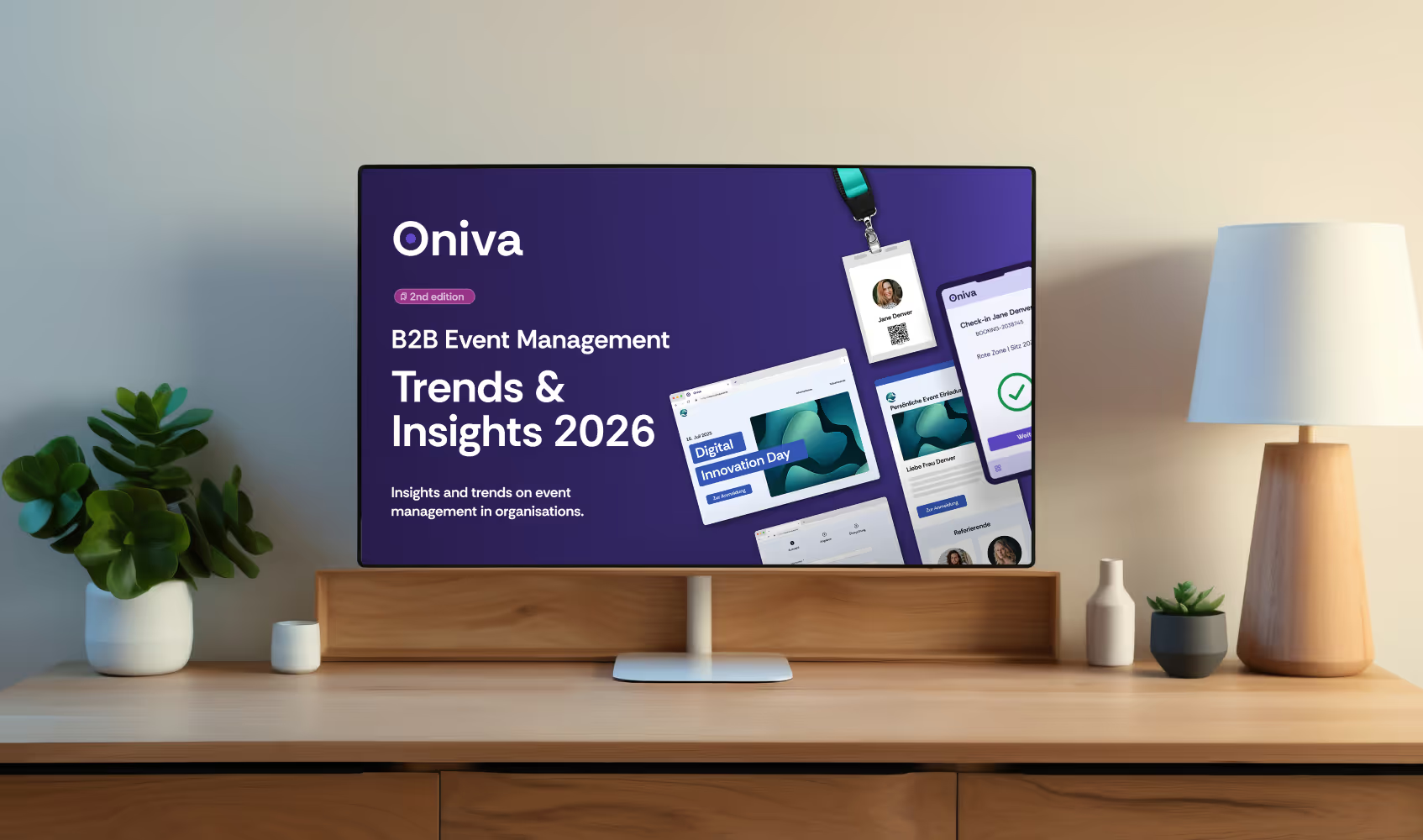
B2B Event Management Trends & Insights 2026

Portrait of Marc Blindenbacher
Marc Blindenbacher
January 27, 2026
5 min

Practical speaker guide for event organisers

Portrait of Marc Blindenbacher
Marc Blindenbacher
September 1, 2025
5 min