Event Management
5
min read
Updated:
May 22, 2026

The 10 best solutions for event planning in 2026 at a glance

Using a professional set of tools makes executing successful events simpler and more efficient. The key is to use event tools tailored to your event needs and organisational requirements. In this article, we introduce ten popular tools that make life easier for event planners using an event management platform.

Published
January 1, 2025
Share article
Copy to clipboard
Email
Share to X
Share on LinkedIn
Share on Facebook
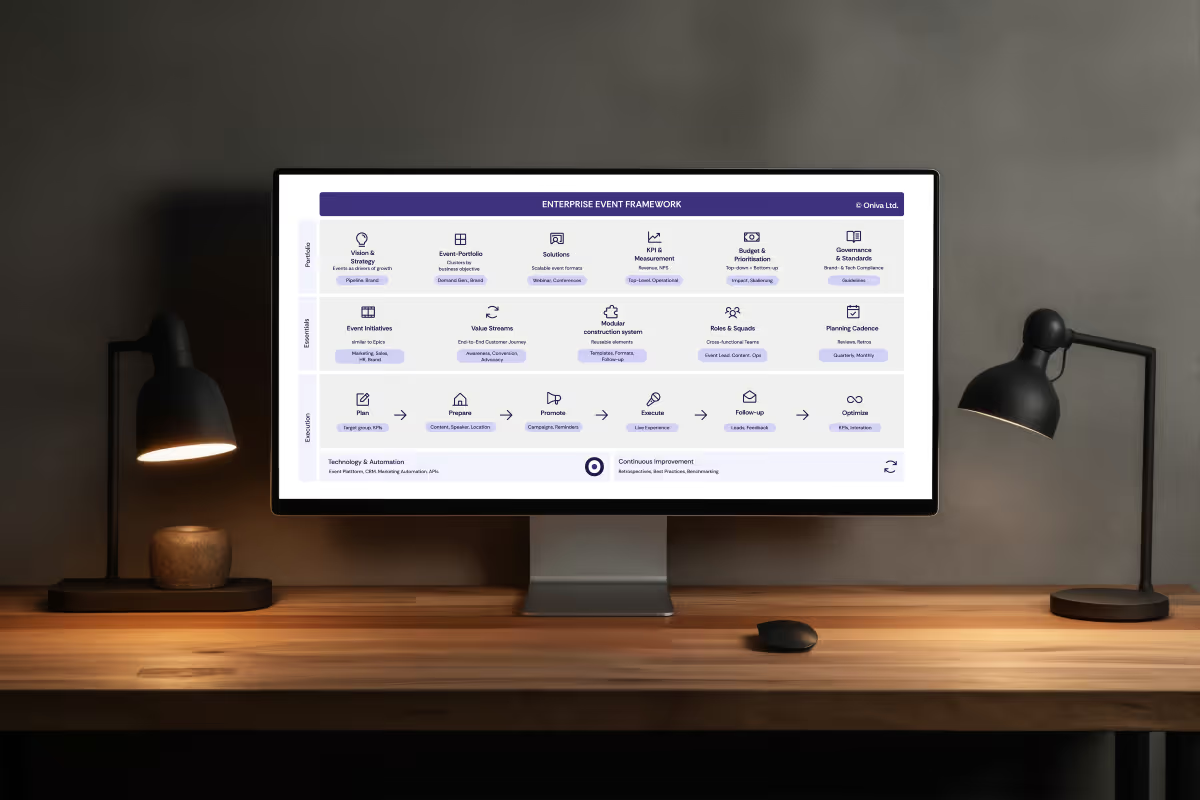
Laptop user operates an event planning tool
Portrait of Marc Blindenbacher
Marc Blindenbacher
Co-Founder
Oniva
Oniva
LinkedIn Logo

With over 20 years of experience in the event industry, both as an organizer and in the development of digital technologies for events, Marc combines his extensive expertise with a Master's in Digital Business Management and a Bachelor's in Business Administration with a focus on Marketing.

Expertise
#Event marketing #Event organization #Event technology
TL;DR — Executive Summary
The most important things at a glance

Choosing the right event management tool in 2026 depends on the organisation's event volume, complexity, team size, and integration requirements. This overview compares ten widely used platforms for digital event planning — covering features such as registration management, event website creation, check-in, attendee communication, and reporting. Oniva is well suited to organisations seeking a GDPR-compliant, full-lifecycle event platform for recurring B2B events, whilst other tools cater to specific use cases such as ticketed consumer events or large-scale virtual conferences.

Table of contents

What is an event planning tool?

An event planning tool is a software solution that helps organisations and event managers efficiently plan, execute, and evaluate events. From event conception to venue selection and attendee registration, there are numerous helpful tools available. Professional event software like Oniva, alongside other tools, can streamline event management and make the process more automated. Examples of events that can benefit from these tools include conferences, trade shows, webinars, corporate gatherings, and public events.

Benefits of using event planning tools

  • Time-saving: Automates processes like registrations and payment handling.
  • Professionalism: Ensures consistent communication and a polished external appearance.
  • Improved organisation: Helps maintain clarity in potentially chaotic event environments.
  • Data management: Centralises storage and usage of attendee data.
  • Scalability: Suitable for small meetings as well as large conferences.
  • Flexibility: Usually cloud-based, allowing access to the event management platform from anywhere.

The 10 best event tools for 2026

1. Oniva

2. Eventlokale

3. Kaltura Virtual Events

4. Chat GPT

5. Interprefy

6. Mentimeter

7. Canva

8. Coople

9. Microsoft Teams

10. Survey-Monkey


What are the 10 best tools for digital event planning in 2026?

1. Simplify event management with Oniva

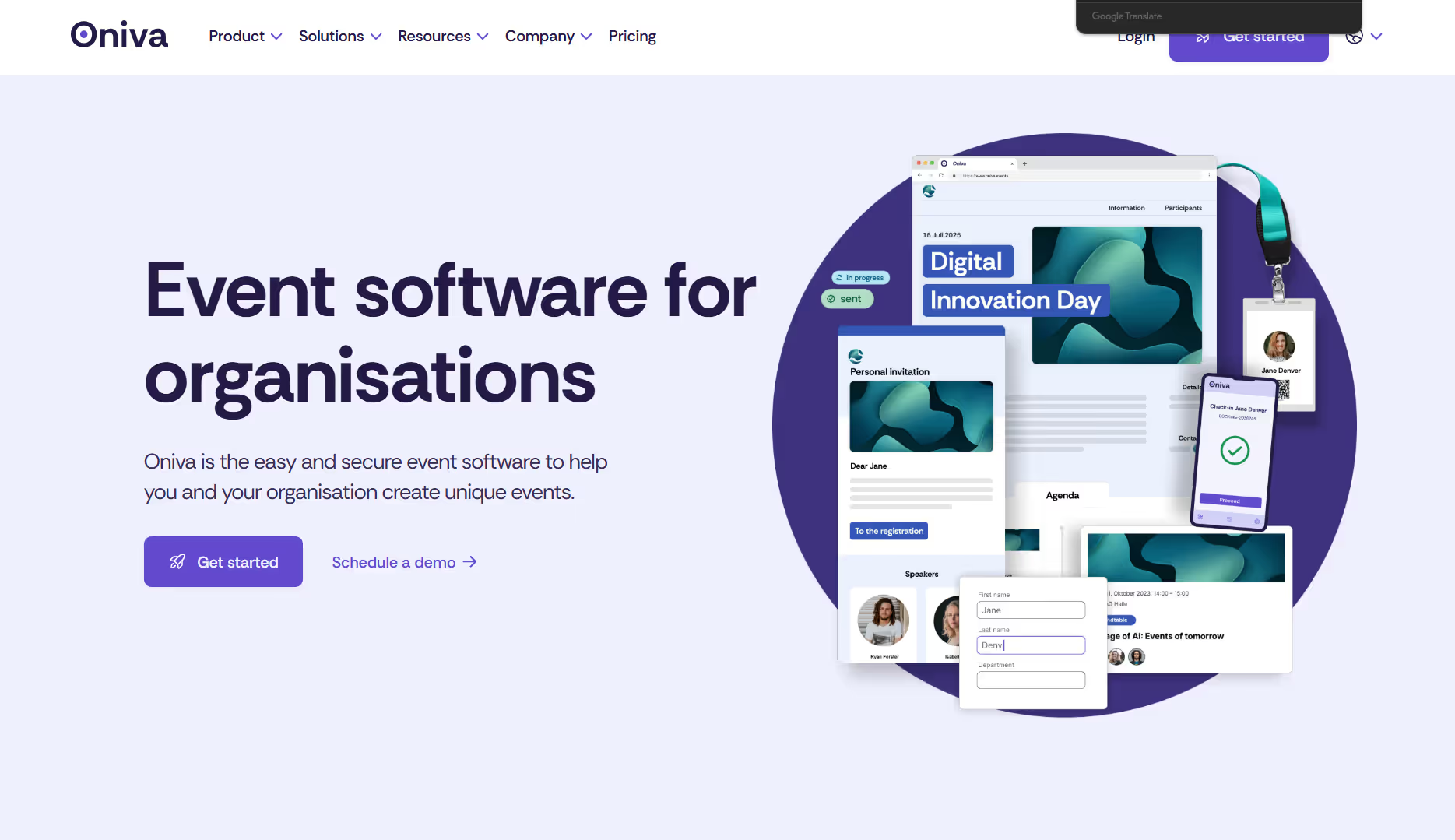
Oniva provides a comprehensive event management platform designed to streamline and automate processes, from event invitations and registrations to on-site check-ins. This user-friendly event tool features a flexible registration logic and robust security functionalities. By integrating various capabilities, Oniva enables organisations to automate processes while retaining full control of their event data. Additionally, Oniva offers detailed analytics, allowing event organisers to effectively monitor participation and engagement metrics.
Functions and advantages  of Oniva for event planning

The best features and benefits of Oniva from our point of view are:

  • All-in-one event software with invitation management, participant management, ticketing, event websites, and an integrated event check-in app
  • Intuitive interface
  • Flexible event registrations with quotas, waiting lists, and multilingual support, with or without payment options.
  • Free support
  • GDPR & Swiss data protection compliant, with encrypted data storage

Disadvantages of Oniva for event planning

  • No function for managing tasks

Pricing

Event licence from EUR 925.- or CHF 890.- including 500 registrations. Free trial version available.


2. Find the right event venue with Eventlokale

Finding the right event location is a key element for successful events. Eventlokale.de, eventlokale.ch and eventlokale.at offer one of the most comprehensive search platforms for event venues in Germany, Austria and Switzerland for event organisers. Eventlokale is commission-free and customers can contact the location directly to place an enquiry. For companies in the DACH region in particular, the platform offers a quick overview of available event locations in the respective city.

Screenshot of the Eventlokale platform for searching event venues in Switzerland.

Functions and advantages of Eventlokale for event planning

  • Most comprehensive selection of available event venues
  • Search for event venues by location, number of people, type of event
  • Detailed filter options available
  • Search options available for other event service providers such as event agencies or technology providers

Disadvantages of Eventlokale for event planning

  • No indicative prices for the locations are displayed. Direct availability of the location is not shown and must first be checked through an individual inquiry.
  • The event locations are primarily complete within the DACH region; a Europe-wide search is currently not possible.

Pricing

Free use possible.


3. Kaltura Virtual Events – All-in-One virtual Event Platform

Kaltura Virtual Events s a comprehensive platform designed to create, manage, and analyze virtual events of all sizes. It offers customizable templates, real-time analytics, and interactive features to enhance attendee engagement. Whether you're hosting a small webinar or a large-scale conference, Kaltura Virtual Events provides the tools to deliver a seamless experience.

Screenshot of the Kaltura Virtual Events homepage with navigation options.

Features and advantages of Kaltura Virtual Events for event planning

  • Customizable event templates: Tailor your events with branded templates to align with your organization's identity.
  • Interactive engagement tools: Utilize live polls, Q&A sessions, and chat features to foster audience participation.
  • Real-time analytics: Monitor attendee engagement and event performance through comprehensive analytics dashboards.
  • Multilingual support: Offer live captioning and translations to cater to a global audience.
  • Seamless integrations: Integrate with Learning Management Systems (LMS) like Canvas and Blackboard, as well as platforms such as Zoom and Microsoft Teams.
  • On-demand content: Provide attendees with access to recorded sessions post-event.
  • Lead Generation Tools: Capture attendee information for post-event follow-ups and marketing efforts.

Disadvantages of Kaltura Virtual Events for event planning

  • Complex setup: Some users have reported a steep learning curve and complex setup processes.
  • Integration challenges: Occasional issues with integrating certain features into existing Learning Management Systems.
  • Limited customisation: While templates are available, advanced customization options may be limited.
  • Technical issues: Users have experienced slow transcoding and connectivity problems during outages.

Pricing

Prices are available on request.


4. Chat GPT for generating invitations and event texts

Chat GPT can be used to generate invitation and event texts. Although it doesn't always choose the perfect tone, Chat GPT often helps create an initial version of the text that can then be optimised. The more detailed the prompt, the better the result. Therefore, when using Chat GPT, describe the content, objectives, and target audience of your event in detail.

Features and advantages of Chat GPT for event planning

  • Quick and flexible generation of event content
  • Good translations for multilingual event content
  • Intuitive interface

Disadvantages of Chat GPT for event planning

  • Results can seem too generic without detailed prompts
  • Not available in all organisations due to compliance regulations

Pricing

Free use possible.


5. Interprefy for simultaneous translations

Particularly when planning multilingual events, language barriers can be a significant challenge. Interprefy offers innovative solutions to help event managers overcome this challenge. With professional remote interpretation, AI-based translation, and AI captions, Interprefy ensures that all participants can follow the event in their native language in real-time.

Screenshot of Interprefy showing simultaneous interpretation features for virtual events.

Features and advantages of Interprefy for event planning

  • Flexible models from real remote interpreters to AI-assisted translation solutions
  • Lower costs and better sustainability, as interpreters do not need to be flown in
  • Secure translations with various security features such as encrypted transmissions

Disadvantages of Interprefy for event planning

  • Integration with existing conference or streaming solutions must be established.

Pricing

Prices are available on request.


6. Conducting live polls with Mentimeter

Live polls during events are a great way to engage the audience. Mentimeter offers a fitting solution for conducting live polls at events. With Mentimeter, everyone gets a chance to speak, even those who might usually hold back. Anonymity helps participants feel more comfortable asking questions and contributing.

Screenshot of a live event poll created with Mentimeter.

Features and advantages of Mentimeter for event planning

  • A variety of flexible poll types such as multiple choice, ranking, or word cloud
  • Anonymous polling options
  • Easy setup and participation via QR code

Disadvantages of Mentimeter for event planning

  • Integration with presentations directly from PowerPoint is not available.

Pricing

From USD 350.- for smaller events.


7. Creating event visuals with Canva

Canva is a user-friendly online design tool that allows you to create visual content quickly and easily, even without prior graphic design knowledge. The platform offers a wide range of templates, tools, and elements for various design projects. With Canva, you can create visuals such as event images or graphics for your event invitations, ensuring a professional appearance and a unique event presentation.

Screenshot of Canva displaying a customized event visual.

Features and advantages of Canva for event planning

  • Video and photo editor for creating graphics such as event invitations
  • Online background removal, e.g., for logo isolation
  • Brand Kit: Manage brand colours, fonts, and logos for consistent branding
  • Template library: Thousands of pre-made designs for various purposes

Disadvantages of Canva for event planning

  • Templates are predefined and offer limited flexibility. For complex designs or special layouts, Canva can be too rigid
  • Cloud storage: As designs are stored online, there are potential privacy risks, especially with sensitive data

Pricing

Free for individuals, USD 30.- per month for Canva Teams with 3 members.


8. Organise staff for events with Coople

Coople is a digital platform for flexible staffing that connects companies and job seekers in Switzerland and the UK. Companies can find temporary staff for events through Coople. Particularly when planning larger events, it’s beneficial to add personnel resources flexibly. The platform takes care of administrative tasks such as payroll and social security contributions.

Screenshot of the Coople website featuring event staffing services.

Features and advantages of Coople for event planning

  • Companies can quickly and efficiently respond to staffing shortages or peak demands without long-term commitments
  • Companies only pay for actual hours worked, making event budget planning easier and improving cost control
  • Wide selection of event-specific job roles such as event technicians, event assistants, cloakroom attendants, and many more
  • The platform allows for fast searching, selecting, and assigning temporary staff, reducing administrative work

Disadvantages of Coople for event planning

  • Temporary staff may be less emotionally invested in the event, which could affect team dynamics and motivation
    Availability
    is currently limited to Switzerland and the UK

Pricing

Coople’s pricing structure for companies is based on an hourly rate that includes both the salary of the temporary staff and the platform fee.


9. Team communication via Microsoft Teams

Microsoft Teams is a comprehensive platform for collaboration and communication that is part of the Microsoft 365 suite. It offers functions for chat, video conferencing, file sharing and project management in a central hub. With Teams, it is now possible to hold various types of online meetings - from video conferencing to live streaming with high viewer numbers. Teams enables employees to collaborate in channels and groups, edit files in real time and switch seamlessly between communication tools. Teams is suitable for internal online events as well as for organising external online events.

Screenshot of the Microsoft Teams website showing online meeting features.

Features and advantages of Teams for event planning

  • Teams combines chat, video conferencing and live streaming in one application, eliminating the need to switch between different tools for online events
  • Event organisers can independently configure various video formats such as conferences or live streaming
  • Perfect integration with applications such as Outlook, Word, Excel and SharePoint, which facilitates collaboration within the Microsoft ecosystem

Disadvantages of Teams for event planning

  • The full functionality only unfolds in combination with other Microsoft 365 services, which is less attractive for companies without a Microsoft environment
  • Participants need a Microsoft account to take part in online events

Pricing

Teams starts from EUR 3.70 or CHF 3.60 per user and month.


10. Collecting event feedback with SurveyMonkey

SurveyMonkey is a user-friendly online tool for creating and conducting surveys. It allows businesses to collect feedback from participants, whether it's for customer satisfaction or event evaluations. With a wide range of templates and customizable question types, custom surveys can be quickly created. The platform offers comprehensive analytics to assess the collected data and derive insights. SurveyMonkey is suitable for both simple queries and complex data collection.

Screenshot of the SurveyMonkey website showcasing survey tools.

Features and advantages of SurveyMonkey for event planning

  • Can be integrated with other platforms such as Oniva or Microsoft Teams to automate workflows
  • Ideal for collecting feedback from participants before, during, and after the event – for example, on the programme, venue, or speakers
  • Supports various question types such as multiple-choice, open-ended questions, rating scales, and more to gather targeted feedback

Disadvantages of SurveyMonkey for event planning

  • Limited flexibility in customising the layout and survey designs to align with a company's branding
  • Depending on the chosen server location, data protection regulations (e.g., GDPR) may be affected. For sensitive data, the hosting option should be carefully reviewed

Pricing

From CHF 99.- per month, including 3 users.


Conclusion: Efficient event planning through the targeted use of tools

A variety of tools are available to simplify and enhance the efficiency of event planning. Which solution or combination of tools works best depends largely on the specific use case. Therefore, we recommend starting early with selecting and testing the right tools to ensure they meet your requirements. It is also essential to carefully consider company-specific policies regarding data protection and software usage. With proper preparation and the right tools, event planning will not only become easier but also more successful.

Frequently asked questions

Everything you need to know about this topic.

What are the benefits of digital tools for event planning?

Digital event tools help to automate processes such as registration, communication, ticketing and feedback surveys. This saves organisations time, improves their overview of their events and creates a more professional experience for participants and event organisers.

What features should a good event management tool definitely offer?

A modern event management tool should cover features such as RSVP management, event websites, attendee management, ticketing, check-in, as well as reporting and analytics, including AI integration. Data protection, ease of use and flexible integration with other tools are also important.

Which tools are particularly suitable for hybrid or virtual events?

Platforms with built-in streaming, communication and interaction features are particularly well suited to hybrid and virtual events. Tools such as Microsoft Teams, Kaltura and Mentimeter help to actively engage digital participants and deliver virtual events professionally.

All-in-one event software for your event marketing

Find out more about the possibilities of the Oniva event tool for your organisation.

Get started
Download

Helpful information for event managers

Discover exciting articles about creating unforgettable events.